
12 min read by CloudMash
From 100 KB to 2.5 TB: What It Really Takes to Run an AI Model
A two-dollar chip can run an AI model. It hears one word, and wakes up.
A laptop with the Wi-Fi switched off can run a model that writes code. A single GPU can predict the 3D shape of a protein. And somewhere, racks of GPUs wired together are reasoning through hard problems and generating video.
We call all of it "AI". But these models differ in size by ten million times: from about 100 kilobytes to about 2.5 terabytes.
Here is the surprising part. You only need one line of arithmetic to understand why.
By the end of this post, you will be able to read any model name, "8B", "70B", "8x7B", "1T MoE", and know what machine it needs. Let us climb the ladder.
-
-
-
-
The one formula behind every AI model's size
To estimate how much memory an AI model needs, multiply its parameter count by the bytes per parameter. At 16-bit, each parameter is 2 bytes, so a 70B model needs about 140 GB. At 4-bit, it is half a byte, so the same model needs about 35 GB.
That is the whole trick. A model is a big pile of learned numbers called parameters (or weights). "70B" means 70 billion of them. Each one has to sit in memory while the model runs, and how much space each one takes depends on its precision: how many bits you spend storing it.
| Precision | Bytes per parameter | 70B model |
|---|---|---|
| FP32 | 4 | 280 GB |
| FP16 / BF16 | 2 | 140 GB |
| FP8 / INT8 | 1 | 70 GB |
| INT4 / MXFP4 | 0.5 | 35 GB |
Models are usually trained at 16-bit. Squeezing them down to 8 or 4 bits after training is called quantization, and it is the single biggest reason big models now run on small machines. You trade a little accuracy for a lot of memory.
Here is the formula applied to the models we will meet on the way up:
model                   fp16        int8        int4
Wake-word net       100.0 KB     50.0 KB     25.0 KB
Llama 3 8B           16.0 GB      8.0 GB      4.0 GB
Llama 3 70B         140.0 GB     70.0 GB     35.0 GB
Llama 3.1 405B      810.0 GB    405.0 GB    202.5 GB
DeepSeek-V3           1.3 TB    671.0 GB    335.5 GB
Kimi K2               2.0 TB      1.0 TB    500.0 GB

Training Llama 3 70B with Adam: 1.1 TB before activationsNow let us start at the bottom of the ladder, where there are no gigabytes at all.
Tier 1: Micro edge, AI models in kilobytes (TinyML)
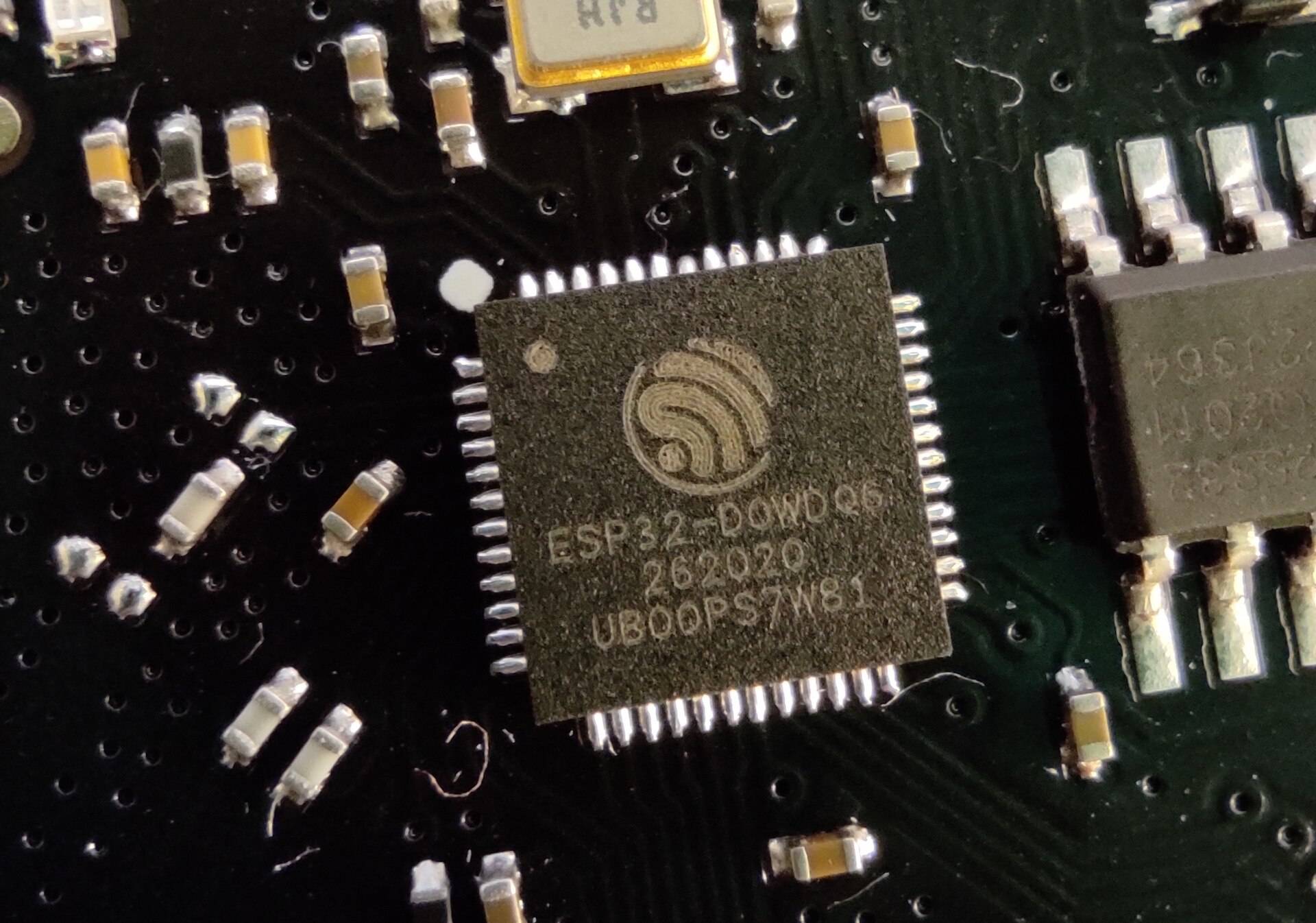
The smallest models run on microcontrollers: the tiny chips inside thermostats, earbuds and factory sensors. There is no operating system to speak of, and no gigabytes anywhere. A microcontroller has a little on-chip working memory called SRAM, a few hundred kilobytes, plus a few megabytes of flash storage.

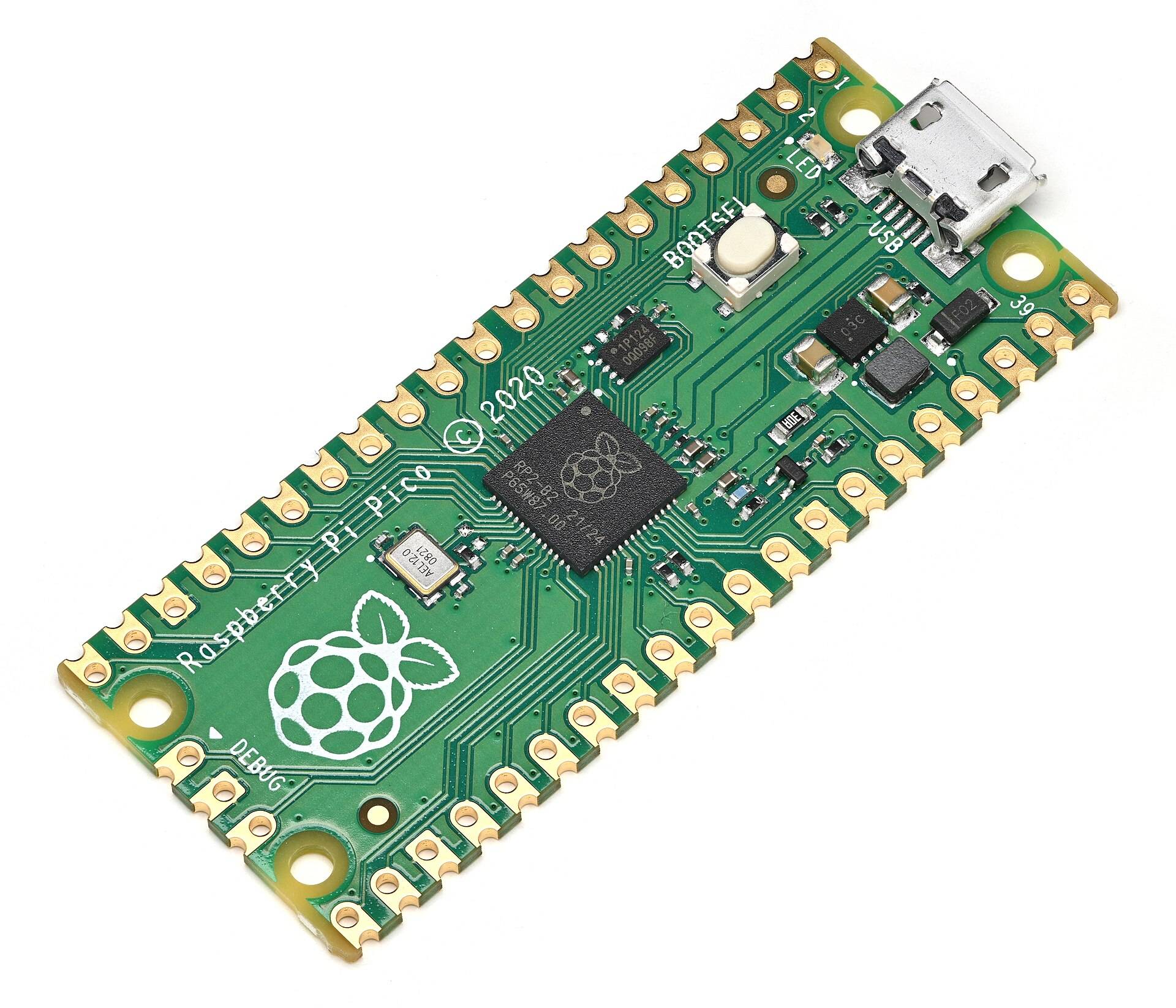

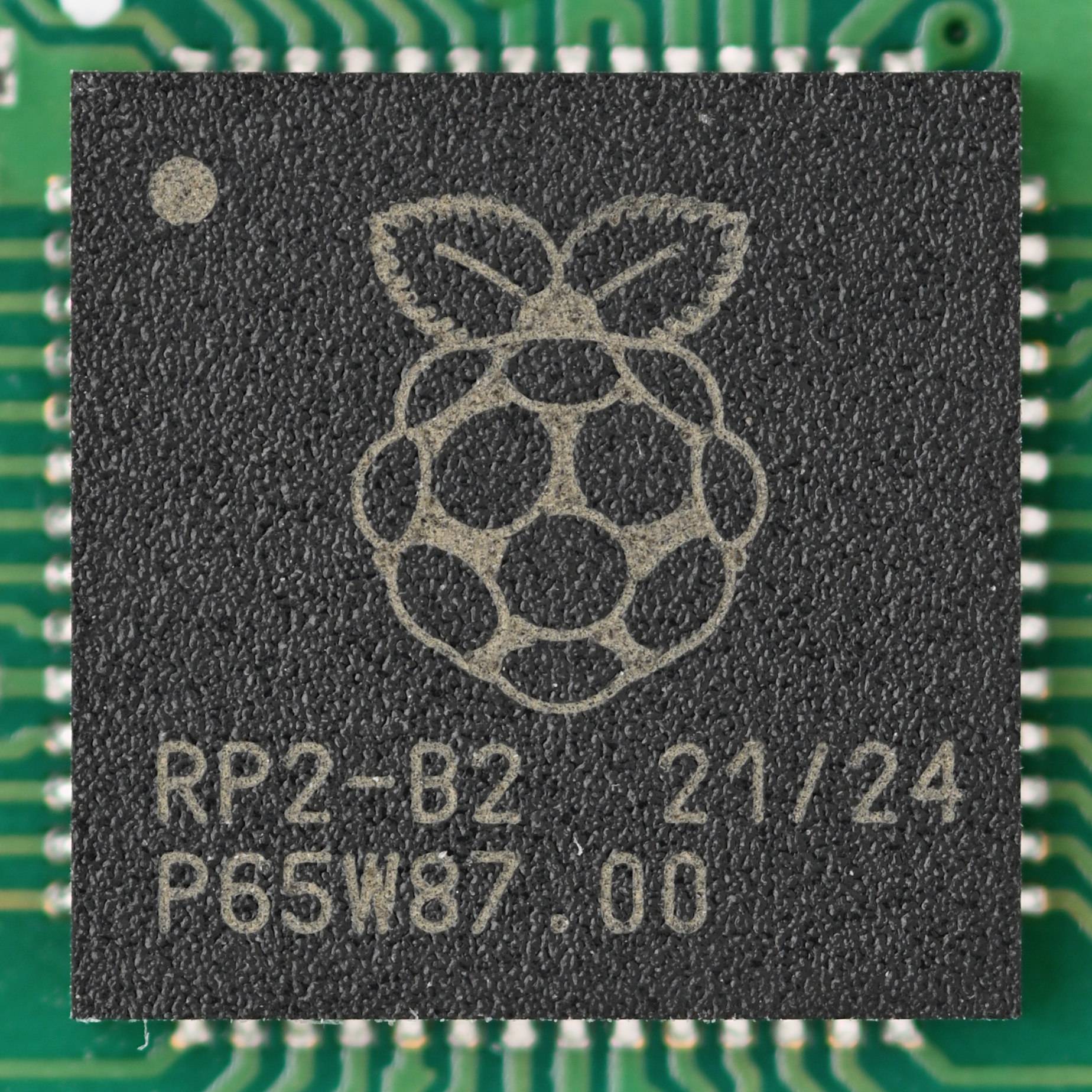

Typical chips here are Arm Cortex-M microcontrollers, the ESP32 and the RP2040: a few hundred KB of SRAM and a few MB of flash each.
The split matters. Flash holds the model: the weights are baked into the firmware like any other constant data. SRAM holds the working data while the model runs: the input, and the intermediate results (activations) passed from layer to layer. Both are tiny, so the models are tiny too: tens of thousands to a few million parameters, stored as 8-bit integers and run by TensorFlow Lite for Microcontrollers.
- params
- 50K to 5M
- precision
- INT8
- 1 byte per parameter
- runtime
- TFLite Micro
- power
- milliwatts
- months on a battery
The TensorFlow Lite Micro paper: over 250 billion microcontrollers exist, and the models that run on them are a few hundred KB.
TensorFlow Lite Micro, arXiv 2010.08678What can a model this small do? It cannot chat. It listens or watches for one specific thing:
- Wake word Listens for a single phrase and ignores everything else.
- Vibration Spots the signature a factory motor shows before a bearing fails.
- Person in frame A tiny camera model answers one question: is someone there?
The chip spends almost all of its life asleep. It wakes, runs the model in a few milliseconds, and goes back to sleep, drawing milliwatts. It sends only the answer, not the raw data. A few bytes instead of a constant audio stream.
Getting a model this small starts on a normal computer: train it, then quantize it to 8-bit integers.
# Tier 1: shrink a trained Keras model to 8-bit integers for a microcontroller
import tensorflow as tf

converter = tf.lite.TFLiteConverter.from_keras_model(model)
converter.optimizations = [tf.lite.Optimize.DEFAULT]
converter.representative_dataset = representative_audio_samples   # calibrates int8 ranges
converter.target_spec.supported_ops = [tf.lite.OpsSet.TFLITE_BUILTINS_INT8]
converter.inference_input_type = tf.int8
converter.inference_output_type = tf.int8

open("wake_word.tflite", "wb").write(converter.convert())
# then:  xxd -i wake_word.tflite > model_data.cc   (a C array you compile into flash)
Then the model is compiled into the firmware. Look at kArenaSize: that is all the working memory this model gets.
// Tier 1: a wake-word model on a microcontroller (TensorFlow Lite for Microcontrollers)
#include "tensorflow/lite/micro/micro_interpreter.h"
#include "tensorflow/lite/micro/micro_mutable_op_resolver.h"
#include "model_data.h"                 // g_model[]: the .tflite file, stored in flash

constexpr int kArenaSize = 20 * 1024;   // all working memory: 20 KB of SRAM
alignas(16) static uint8_t tensor_arena[kArenaSize];
constexpr int kYes = 2;                 // output index of the "yes" class
static tflite::MicroInterpreter* interpreter;

void setup() {
  const tflite::Model* model = tflite::GetModel(g_model);
  static tflite::MicroMutableOpResolver<4> resolver;
  resolver.AddDepthwiseConv2D();
  resolver.AddFullyConnected();
  resolver.AddSoftmax();
  resolver.AddReshape();
  static tflite::MicroInterpreter instance(model, resolver, tensor_arena, kArenaSize);
  interpreter = &instance;
  interpreter->AllocateTensors();
}

void loop() {
  // fill interpreter->input(0)->data.int8 with ~1 s of audio features
  interpreter->Invoke();                                  // a few milliseconds
  int8_t yes = interpreter->output(0)->data.int8[kYes];   // send only this answer
}Multiply the parameters by about a thousand and you stop listening for one word. You start writing code.
Tier 2: Running LLMs locally on your laptop or gaming GPU
Tier 2 is your own computer. Model files run from about half a gigabyte to 16 GB: language models with 1 to 14 billion parameters, such as Gemma, Phi-3 mini, Llama 3 8B and Qwen 2.5.

.png)
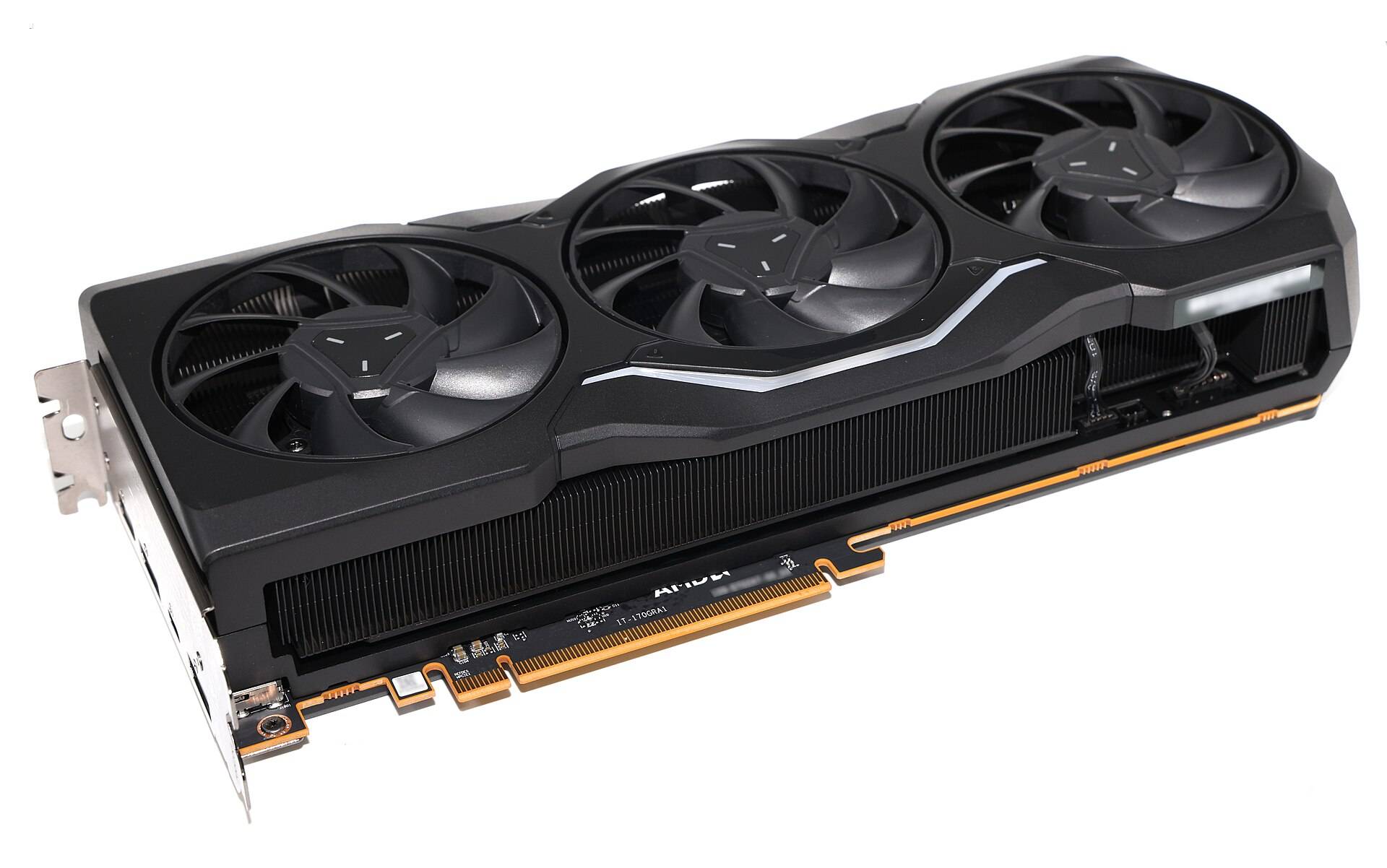

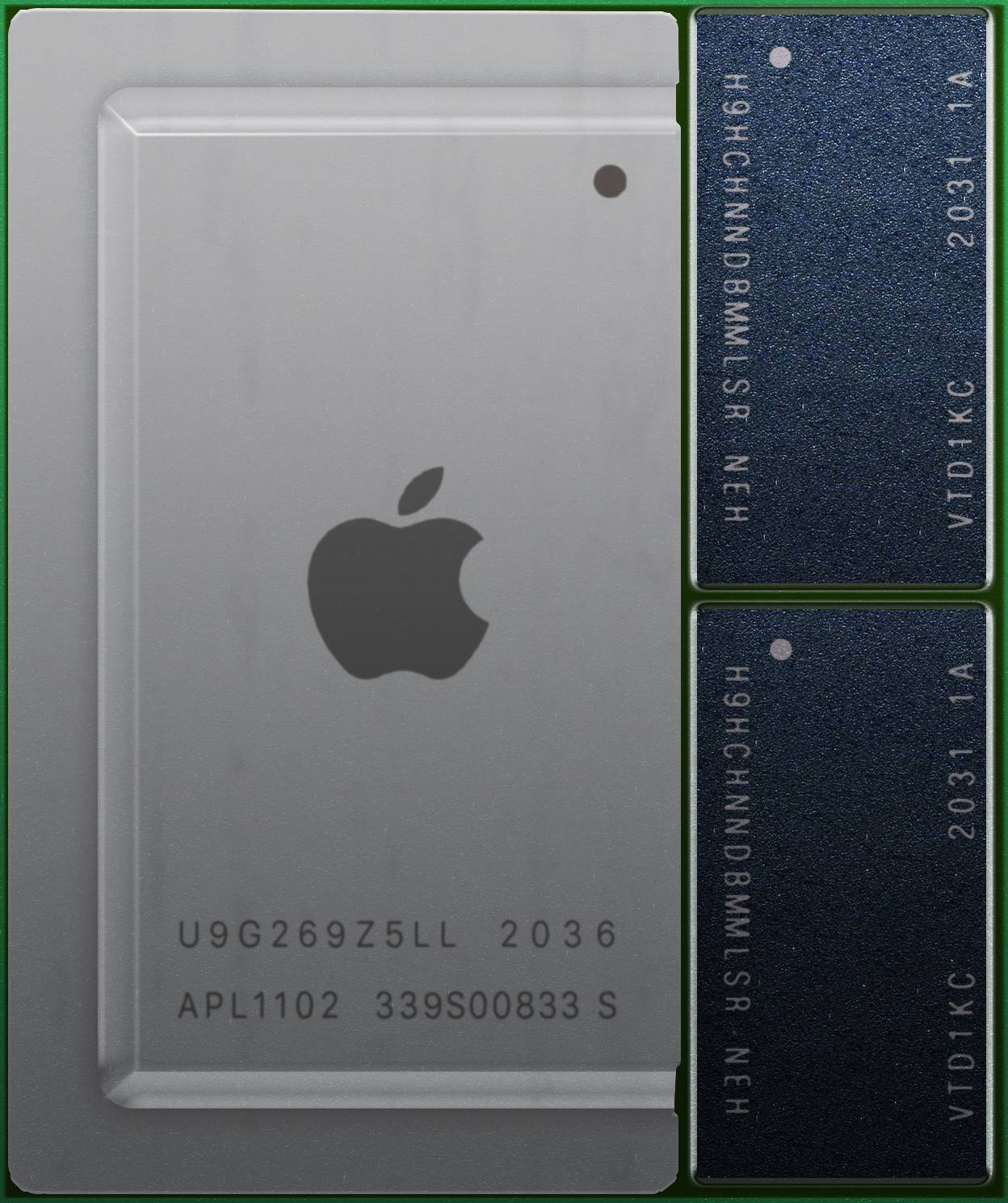
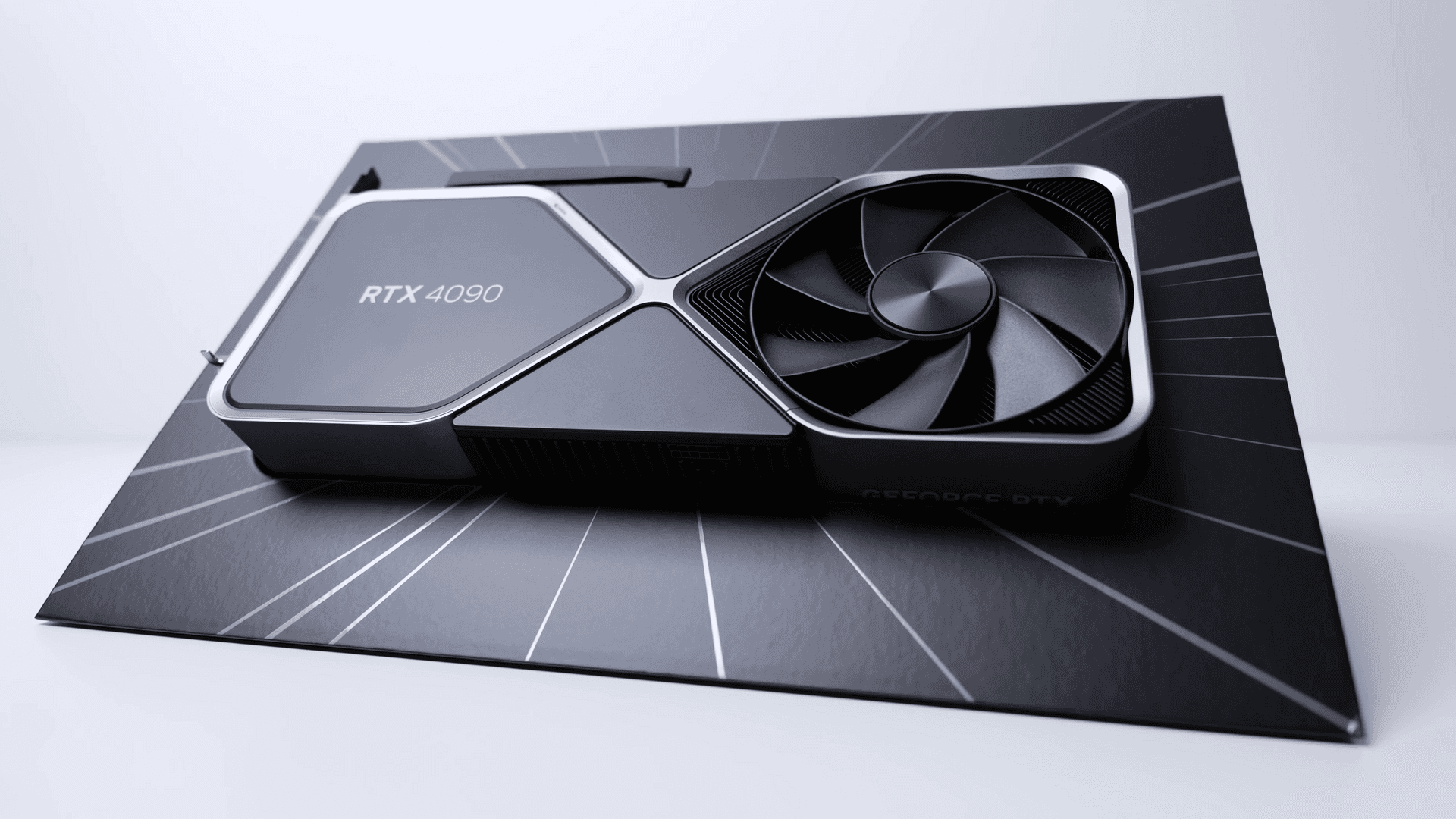
The hardware is a laptop or a desktop. A gaming GPU like the RTX 4090 or 5090 has 24 to 32 GB of its own fast memory, called VRAM. Apple silicon Macs are different: CPU and GPU share one pool of unified memory, anywhere from 16 to 128 GB, so a Mac can hold models that do not fit on any single gaming card.
Models here almost always run at 4-bit, packed into a file format called GGUF, through tools like llama.cpp and Ollama. Getting one running takes a single command:
# Tier 2: run an 8B model on your own machine, fully offline
ollama run llama3.1:8b            # pulls a ~4.9 GB 4-bit build, then chats

# or with llama.cpp directly: quantize to 4-bit GGUF, offload all layers to the GPU
llama-quantize Llama-3.1-8B-F16.gguf Llama-3.1-8B-Q4_K_M.gguf Q4_K_M
llama-cli -m Llama-3.1-8B-Q4_K_M.gguf -ngl 99 -p "Explain VRAM in one line"
Why 4.9 GB and not exactly 4? Real 4-bit formats keep a little extra per block of weights (scales, and a few layers kept at higher precision), so they land a bit above 4 bits per parameter. The formula gets you within a gigabyte, which is all you need to pick hardware.
The ceiling of Tier 2 is higher than most people think:
Georgi Gerganov, creator of llama.cpp. Look at the log: about 96,781 MB of weights. 180B parameters at roughly 4 bits is about 100 GB, exactly what the formula predicts. A Mac Studio's unified memory stretches Tier 2 surprisingly far.
@ggerganov on X, Sep 7, 2023Three years later, on the same Mac: a 26B mixture-of-experts model (only about 4B active per token) at 8-bit, generating 300 tokens per second.
@ggerganov on X, Apr 2, 2026Small models are mighty: a 15M-parameter story writer in 500 lines of C, on a laptop CPU.
@karpathy on X, Jul 23, 2023What can a Tier 2 model actually do? Much more than classify:
- Chat assistant A private assistant that answers questions.
- Code copilot + tool calling Writes code and decides which function to call.
- Whisper Turns speech into text.
- Screenshot reading Small vision-language models read what is on screen.
- Image generation Stable Diffusion draws a picture in seconds.
- speed
- 100+ tok/s
- Llama 3 8B, 4-bit, RTX 4090
- format
- GGUF 4-bit
- network
- offline
- your data never leaves your desk
On an RTX 4090, an 8B model at 4-bit writes well over 100 tokens per second. And all of it runs with no internet at all. Your data never leaves your desk.
Now try it yourself. Pick a model and a precision, and see which machine it needs:
// interactive
Will it fit?
Pick a model and a precision. See which machines can hold it.
- weights
- 140 GB
- + KV cache
- 2.7 GB
- total
- 143 GB
- RTX 409024 GB VRAMdoes not fit
- RTX 509032 GB VRAMdoes not fit
- Mac, 64 GB64 GB unifieddoes not fit
- H10080 GB HBM3does not fit
- MI300X192 GB HBM3fits
- 8x H100 node640 GB pooled HBMfits
"tight" means less than 15 percent headroom left for activations and other users.
Now try a 70B model at full 16-bit quality. 140 GB. No gaming card on Earth holds that.
Tier 3: One server, data-center GPUs and HBM (30 to 140 GB)
Tier 3 is the single server: dense models with 30 to 70 billion parameters, and mixture-of-experts models we will meet in a minute. A 70B model in 16-bit is 140 GB. Even two gaming cards together only hold 48 GB, which is enough at 4-bit and nowhere near enough at full quality.
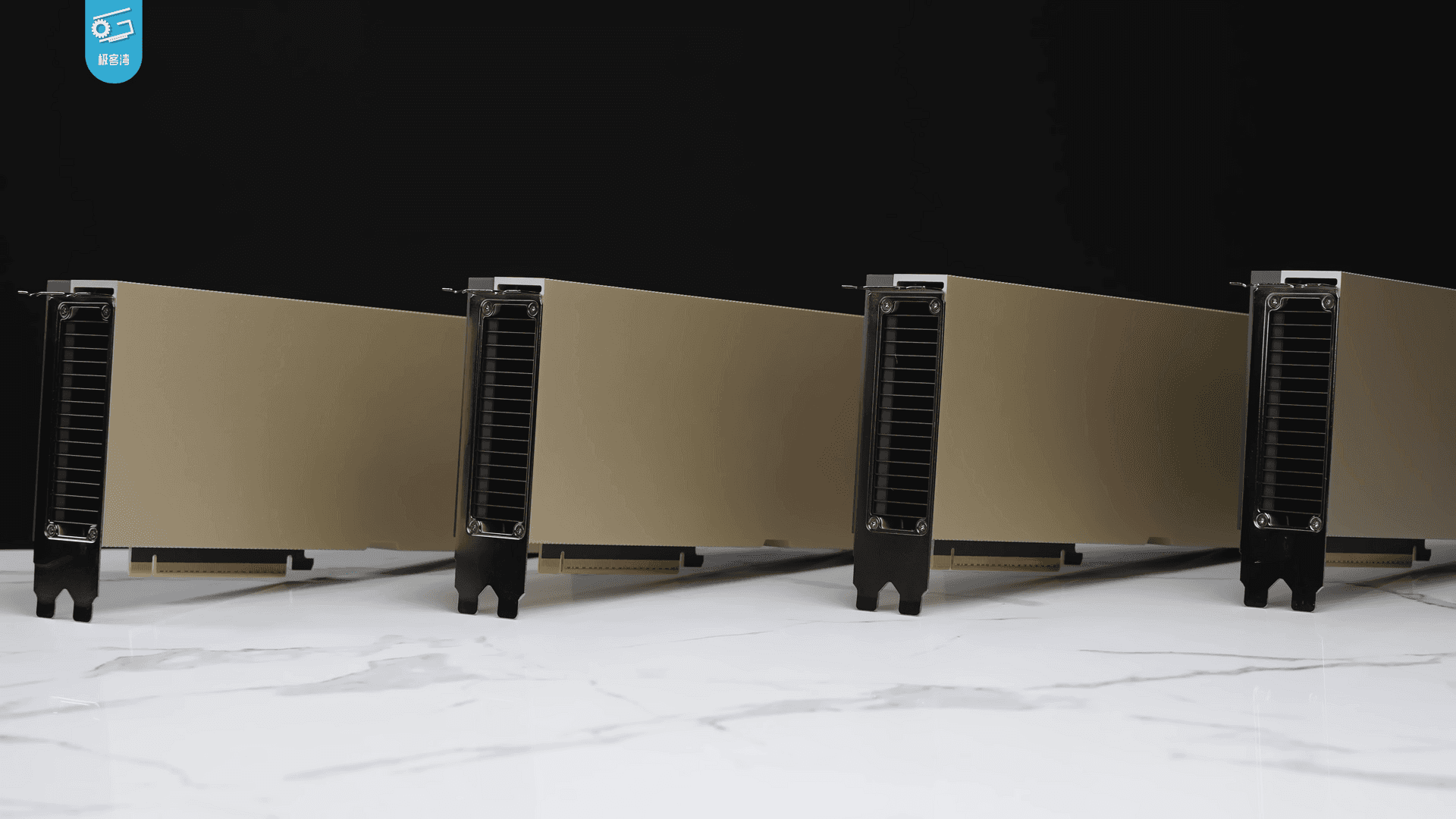
For full quality you need data-center GPUs. These use HBM, high bandwidth memory: memory stacked right next to the chip, so the GPU can read it at terabytes per second.
_004.png)
H100 SXM: 80 GB of memory at 3.35 TB/s.
NVIDIA H100 product pageMI300X: 192 GB of HBM3 at 5.3 TB/s. Screenshot: AMD product page.
AMD MI300X product pageAn MI300X holds a 70B model at 16-bit on one chip, with room to spare. On H100s you split it across two cards. At this tier the model also serves many users at once, which needs a serving engine such as vLLM, TensorRT-LLM or Text Generation Inference:
# Tier 3: serve a 70B model to many users with vLLM
# 140 GB of BF16 weights: one MI300X (192 GB), or split across two H100s (2 x 80 GB)
vllm serve meta-llama/Llama-3.1-70B-Instruct --tensor-parallel-size 2

# Mixture of experts: 47B stored, ~13B used per token
vllm serve mistralai/Mixtral-8x7B-Instruct-v0.1 --tensor-parallel-size 2
Why serving many users needs spare memory: the KV cache
While a chat model writes, it keeps a memory of every token so far: the KV cache. It grows with the length of the conversation, and every user has their own. On a busy server it can rival the weights themselves.
Serving a 13B model on a 40 GB A100: 26 GB of parameters, and over 30 percent of the card for the KV cache.
vLLM / PagedAttention, arXiv 2309.06180The size follows its own little formula:
"""Working memory that grows with context: the KV cache.
kv_bytes = 2 (K and V) x layers x kv_heads x head_dim x tokens x bytes_per_value
"""
def kv_cache_gb(layers, kv_heads, head_dim, tokens, batch=1, bytes_per_value=2):
    return 2 * layers * kv_heads * head_dim * tokens * batch * bytes_per_value / 1e9

# Llama 3 70B: 80 layers, 8 KV heads (GQA), head_dim 128
for ctx in (8_192, 32_768, 131_072):
    print(f"Llama 3 70B, {ctx:>7,} tokens, 1 user : {kv_cache_gb(80, 8, 128, ctx):6.1f} GB of KV cache")
print(f"Llama 3 70B, 8,192 tokens, 32 users: {kv_cache_gb(80, 8, 128, 8192, batch=32):6.1f} GB")Llama 3 70B, 8,192 tokens, 1 user : 2.7 GB of KV cache
Llama 3 70B, 32,768 tokens, 1 user : 10.7 GB of KV cache
Llama 3 70B, 131,072 tokens, 1 user : 42.9 GB of KV cache
Llama 3 70B, 8,192 tokens, 32 users: 85.9 GBAbout 2.7 GB per user at 8K tokens, about 43 GB for one user at 128K. Thirty-two users at 8K need 86 GB on top of the 140 GB of weights. That is why "it fits" is not the same as "it serves".
Mixture of experts: big memory, small compute
There is a different kind of model at this tier. A mixture of experts (MoE) model has many specialist blocks, the experts, and a small router that sends each token to just a couple of them.
Mixtral 8x7B: each token has access to 47B parameters, but uses only 13B of them.
Mixtral of Experts, arXiv 2401.04088Memory must hold all 47 billion. Speed depends on the 13 billion that are used. That is the whole MoE trade: you pay for the total in memory, and for the active part in compute.
A fun bit of history: Mistral released Mixtral as a bare torrent magnet link, with no announcement at all.
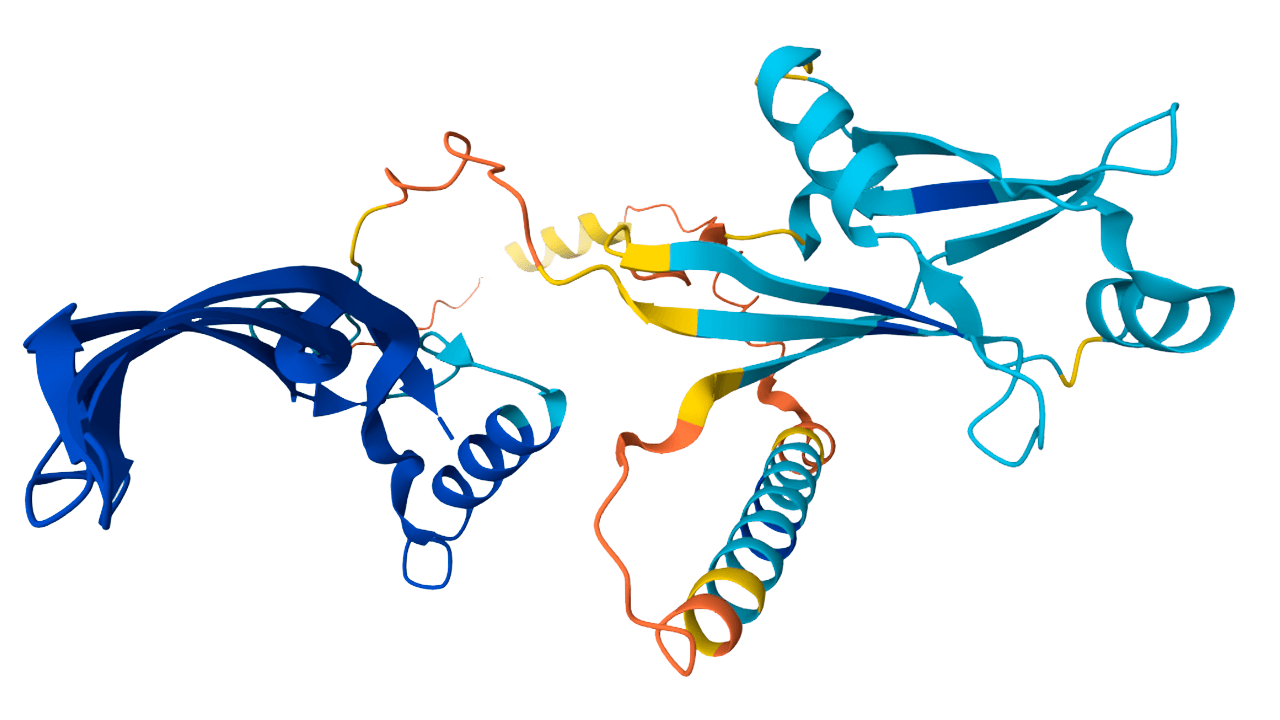
@MistralAI on X, Dec 8, 2023With 80 to 192 GB to play with, models can refactor a large codebase and write its tests, and read long documents and video frames in one go. Protein structure models like AlphaFold run on these GPUs too.
- Repo refactor
- Test generation
- Long documents
- Video frames
- Protein structures
So what happens when a model is too big for any single chip ever made?
Tier 4: The cluster, when no single GPU is big enough (200 GB to 2.5 TB)
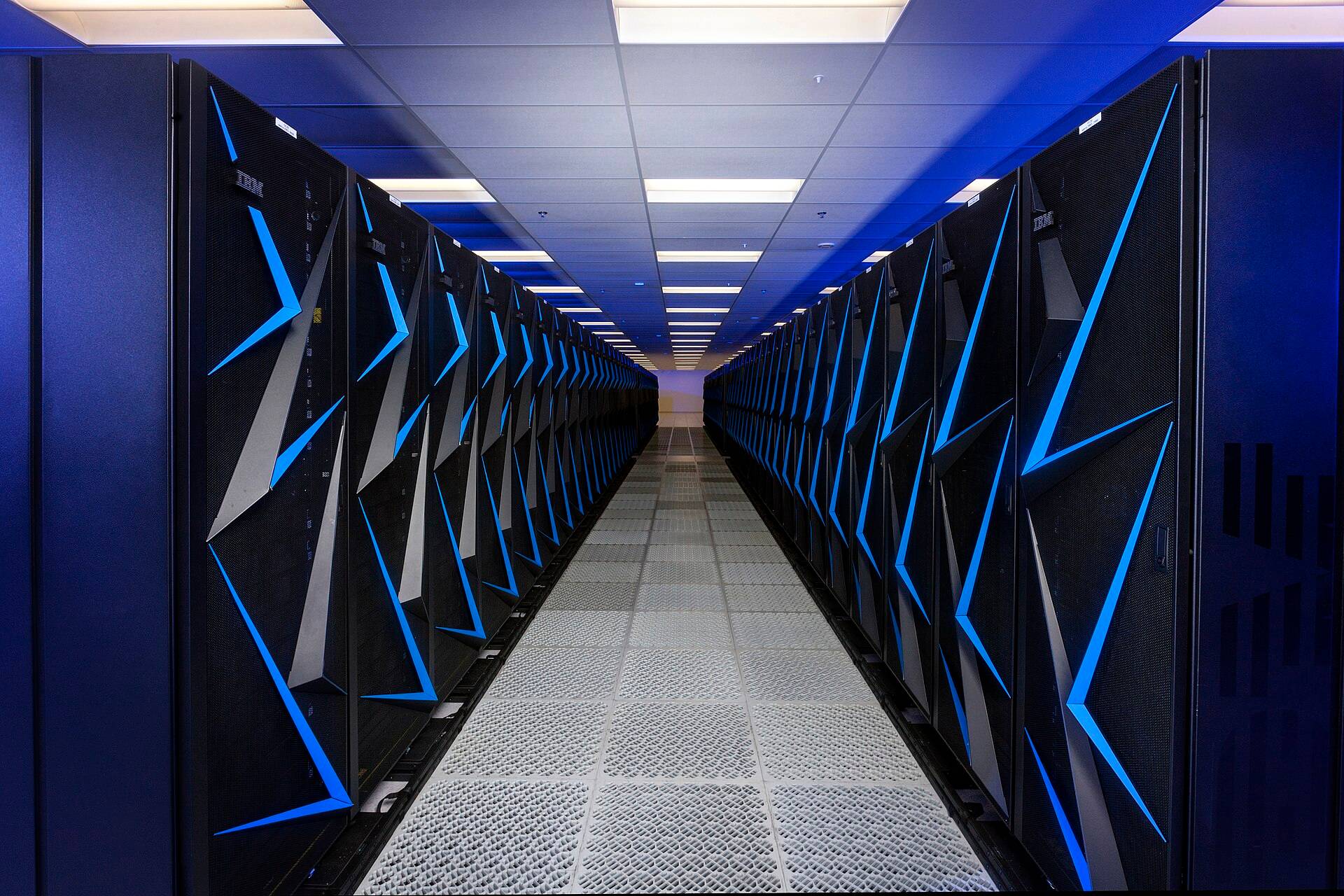
Tier 4 is the cluster. Llama 3.1 405B is a dense model: at 16-bit its weights alone are 810 GB. Mixture-of-experts models go further. DeepSeek-V3 has 671 billion parameters. Kimi K2 has one trillion, which is 2 TB at 16-bit. Add the working memory for long conversations, and you pass 2.5 TB.
Training Llama 3.1 405B took over 16,000 H100 GPUs. Running it takes far fewer, but still more than one.
@AIatMeta on X, Jul 23, 2024The receipt for this whole tier: in BF16 the 405B model does not fit one 8x H100 machine, so Meta used 16 GPUs on two machines.
The Llama 3 Herd of Models, arXiv 2407.21783DeepSeek-V3: 671B in total, 37B active per token.
@deepseek_ai on X, Dec 26, 2024Kimi K2: 1T in total, 32B active per token.
@Kimi_Moonshot on XNo single chip on Earth holds that. So the model is split across a server with eight GPUs: eight H100s give 640 GB, eight H200s give about 1.1 TB, eight MI300X give about 1.5 TB.
Inside one server, the 8 GPUs are wired to each other with very fast links, so they can act like one big GPU. Slice the 810 GB model 8 ways and each H100 must hold about 101 GB, more than its 80 GB. Slice it 16 ways across two servers and each GPU holds about 51 GB. That is exactly what Meta did.

_19.png)
The wires matter as much as the chips
Splitting a model means the GPUs must talk constantly. Inside one server, NVIDIA GPUs connect through NVLink at about 900 GB/s each. AMD uses Infinity Fabric.
H100 SXM: 900 GB/s of NVLink per GPU.
NVIDIA H100 product pageBetween servers, traffic goes over InfiniBand or Ethernet with RDMA, at around 400 Gb/s per link. Watch the units: that is gigabits, not gigabytes. 400 Gb/s is 50 GB/s, an eighteenth of one H100's NVLink. So the split is planned around the slow link.
Three ways to split a model
Every layer is cut into 8 slices, one per GPU. The GPUs exchange partial results on every layer, so this stays inside one server on fast NVLink.
Different layers live on different servers: layers 1 to 63 on node A, 64 to 126 on node B. Only the activations between the two halves cross the slower network.
For mixture-of-experts models, each GPU holds different experts. A router sends each token to the GPU that holds its expert.
Tensor parallelism cuts every layer across the 8 GPUs in one server. It talks on every layer, so it stays on fast NVLink. Pipeline parallelism gives different layers to different servers, so only activations cross the slow link. Expert parallelism places different experts on different GPUs and sends each token to the GPU that holds its expert.
The original tensor-parallel split from Megatron-LM: each layer's matrices are cut so that every GPU does part of the same layer.
Megatron-LM, arXiv 1909.08053Engines like vLLM, and llm-d for orchestrating it on Kubernetes, run this split for you:
# Tier 4: models bigger than any single GPU, split across a node or two

# 405B in FP8 (~405 GB) fits one 8x H100 node: tensor parallel over NVLink
vllm serve meta-llama/Llama-3.1-405B-Instruct-FP8 --tensor-parallel-size 8

# 405B in BF16 (810 GB) needs two nodes: TP=8 inside each node, PP=2 across them
vllm serve meta-llama/Llama-3.1-405B-Instruct \
  --tensor-parallel-size 8 --pipeline-parallel-size 2

# MoE: put different experts on different GPUs, route each token to its expert
vllm serve deepseek-ai/DeepSeek-V3 --tensor-parallel-size 8 --enable-expert-parallel
What needs this much? Frontier models: the ones that reason step by step through a hard problem and check their own work, follow hours of video or hundreds of pages in one context, or generate video with large diffusion transformers spread over many GPUs.
- Step-by-step reasoning Working through hard problems and checking its own work.
- Long context Hours of video or hundreds of pages at once.
- Video generation Large diffusion transformers across many GPUs.
At this tier the cost is not only the chips. It is everything around them:
- GPUs
- Network
- Power
- Cooling
Honest limits of this map
Every map simplifies. Here are the three places this one bends.
The whole ladder on one page
So here is the whole ladder. Micro edge: kilobytes to a few megabytes, on microcontrollers, for wake words and sensors. Local desktop: up to 16 GB, on laptops and gaming GPUs, for chat, code, speech and images, offline. Single server: up to 140 GB, on H100 and MI300X, for many users, big codebases and long documents. Cluster: up to 2.5 TB, on many GPUs joined by fast links, for frontier reasoning and video.
| Tier | Size | Parameters | Memory target | Hardware | Workloads |
|---|---|---|---|---|---|
| 1. Micro edge | KB to ~4 MB | 50K to 5M | 256 KB SRAM + MB flash | ESP32, Cortex-M, RP2040 | wake word, vibration, sensing |
| 2. Local desktop | 0.5 to 16 GB | 1B to 14B | 16 to 32 GB RAM / VRAM | Apple M, RTX 4090/5090, RX 7900 XTX | chat, code, Whisper, image gen |
| 3. Single server | 30 to 140 GB | 30B to 70B, MoE | 80 to 192 GB HBM | H100, A100, MI300X | serving, code agents, documents |
| 4. Cluster | 200 GB to 2.5 TB | 405B to 1T+ (MoE) | 640 GB to 2.5 TB pooled HBM | 8 to 16+ H100/H200/B200, MI300X | reasoning, long video, video gen |
Show the data as a table
| Model | Parameters | Active per token | Weights at 16-bit | Tier |
|---|---|---|---|---|
| Wake-word CNN | 50K | - | 100 KB | 1 |
| llama2.c TinyStories | 15M | - | 30 MB | 2 |
| AlphaFold 2 | 93M | - | 186 MB | 3 |
| Llama 3 8B | 8B | - | 16 GB | 2 |
| Mixtral 8x7B | 46.7B | 12.9B | 93.4 GB | 3 |
| Llama 3 70B | 70B | - | 140 GB | 3 |
| Llama 3.1 405B | 405B | - | 810 GB | 4 |
| DeepSeek-V3 | 671B | 37B | 1.34 TB | 4 |
| Kimi K2 | 1T | 32B | 2 TB | 4 |
| Kimi K3 | 2.8T | - | 5.6 TB | 4 |
AI is not one thing. Every choice is a balance of memory,bandwidth,power,precision.
What is the biggest model you run locally? Tell us in the comments on the video.
// watch the whole ladder, animated
Frequently asked questions
How much VRAM do I need to run a 70B model?
About 140 GB at 16-bit, 70 GB at 8-bit, and 35 GB at 4-bit, plus a few GB to tens of GB for the KV cache depending on context length and the number of users.
Can I run a 7B or 8B model on a laptop?
Yes. At 4-bit an 8B model is about 5 GB, which fits in 16 GB of RAM or on any GPU with 8 GB of memory or more.
What does 8x7B or A4B mean in a model name?
Mixture of experts. 8x7B (Mixtral) stores about 47B parameters but uses about 13B per token. 26B A4B means 26B parameters in total, about 4B active per token.
Why do MoE models need so much memory if only some experts run?
Every expert must sit in memory, because any token might need any expert. Speed scales with the active parameters, memory scales with the total.
What is the difference between tensor and pipeline parallelism?
Tensor parallelism splits every layer across GPUs and talks on every layer, so it stays inside one server on NVLink. Pipeline parallelism gives different layers to different servers, so only activations cross the slower network.
How much memory does training need compared to inference?
Roughly 16 bytes per parameter with Adam in mixed precision, before activations, versus 2 bytes per parameter for 16-bit inference.
Sources
- TensorFlow Lite Micro: arXiv 2010.08678
- Mixtral of Experts: arXiv 2401.04088
- vLLM and PagedAttention: arXiv 2309.06180
- The Llama 3 Herd of Models: arXiv 2407.21783
- DeepSeek-V3 Technical Report: arXiv 2412.19437
- Kimi K2: arXiv 2507.20534
- Megatron-LM: arXiv 1909.08053
- ZeRO: arXiv 1910.02054
- NVIDIA H100: product page
- AMD Instinct MI300X: product page
- Ollama llama3.1: library page
- Kimi K3 on vLLM: vLLM blog